
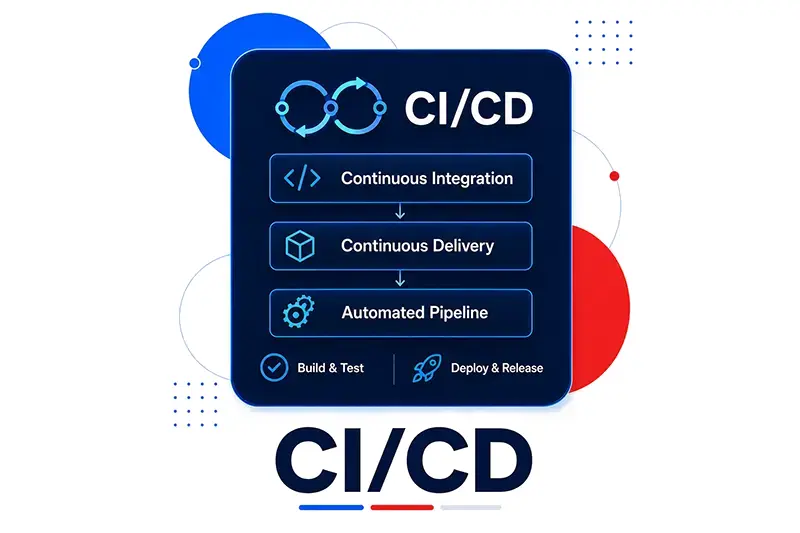
Deployment is the bridge between source code and running software.
For Java teams, deployment usually includes compiling code, running quality checks, packaging artifacts, storing them, applying configuration, installing the application in the correct environment, and running it. CI/CD exists to automate and make that flow visible.
A reliable deployment pipeline is not only a productivity tool. It is a control system for the software life cycle.
The Problem
Manual deployment often works until the project becomes important.
One person remembers which command to run. Another person knows where the artifact should be copied. A third person changes the configuration on the server. Someone else starts the application. If production behaves differently from testing, the team has to reconstruct what happened.
Manual deployment risk:
developer machine
  |
  v
manual build
  |
  v
manual copy
  |
  v
manual configuration
  |
  v
uncertain production state
The goal of deployment automation is to make each step repeatable, traceable, and recoverable.
Build the Code
Building code means compiling and packaging the application into a deployable artifact.
In Java, deployable artifacts commonly include:
.jar
.war
.ear
The JDK includes tools such as javac, but real projects usually need more than compilation. They need dependency management, test execution, resource processing, packaging, documentation generation, and sometimes code generation.
Apache Maven is a common build standard in Java projects. The pom.xml file defines how the project is built. It can include dependencies, build plugins, packaging instructions, and configuration for build steps.
From an architecture perspective, Maven matters because it creates a standard way to describe and reproduce a build.
Maven build concerns:
dependencies
test dependencies
development-time dependencies
compilation
packaging
plugins
artifact identity
Maven also identifies artifacts through GAV coordinates:
GroupId:
namespace or project group

ArtifactId:
project or module name

Version:
artifact release version
A conceptual artifact identity can be written as:
com.example
payment-service
1.3.0
That identity lets projects depend on exact versions and lets repositories store artifacts consistently.
Maven is not the only build tool. Ant was used widely in older Java systems and is closer to scripting. Gradle is a modern alternative and is common in Android development. The important architectural principle is not the specific tool. The important principle is that the build process should be defined, automated, and reproducible.
Manage Artifacts
A build produces artifacts, and those artifacts need to be stored.
A filesystem folder can work for very small projects, but a real delivery process needs an artifact repository.
An artifact repository stores built software and dependencies in a controlled way.
Useful repository capabilities include:
- Web interfaces for searching artifacts.
- Authenticated access.
- Role-based permissions.
- Read-only and write access separation.
- Security checks for known vulnerabilities.
- Version retention and cleanup policies.
- Mirroring of remote repositories such as Maven Central.
- Hierarchy across internal and external repositories.
Two common implementations are JFrog Artifactory and Sonatype Nexus.
The artifact repository becomes the source of deployable truth. Production should not depend on a developer's local build. It should deploy an artifact that was built, tested, versioned, stored, and approved.
Source code
  |
  v
Build
  |
  v
Tests
  |
  v
Artifact repository
  |
  v
Deployment environment
Container Images as Artifacts
Containers extend the same idea.
A container image contains a complete application component, including operating-system-level dependencies, JVM, middleware, and the application artifact. It is immutable and can be identified with a version and signature.
This makes container repositories similar to Java artifact repositories.
Java artifact:
payment-service.jar

Container artifact:
payment-service image containing JVM, dependencies, and application
Artifactory and Nexus can also support container repository use cases. Public container repositories include Docker Hub and Quay.io.
The practical rule is the same: do not deploy untracked build output. Deploy versioned artifacts from repositories.
Complete the Deployment
Deployment differs depending on the runtime model.
Traditional Java application servers may deploy .war or .ear artifacts through server-specific folders or command-line tools. Additional configuration may be required for databases, messaging, or other runtime resources.
Fat JAR applications, such as Spring Boot or Quarkus style packaging, can be deployed by copying the JAR to a defined location and running it with the right command. Shell scripts often handle cleanup of old versions, configuration changes, and process startup.
Containerized applications are deployed through container images. Docker or Kubernetes can pull images from repositories and run them. In Kubernetes environments, kubectl is commonly involved in applying deployment instructions and managing runtime state.
Traditional server:
artifact -> application server -> configured runtime

Fat JAR:
artifact -> target machine -> start command

Container:
image -> container runtime or Kubernetes -> running Pod or instance
The details differ, but the pipeline should still make the steps explicit.
CI and CD
Continuous Integration automates the early part of the process.
A typical CI flow includes:
1. Build the code.
2. Run static checks, unit tests, and limited integration tests.
End-to-end testing usually needs a deployed application, so it belongs later.
Continuous Delivery extends the process with deployment-oriented steps.
A practical CD flow can include:
1. Version artifacts in repositories.
2. Deploy artifacts to a test environment.
3. Apply required configuration.
4. Run end-to-end tests.
5. Deploy to non-production environments for UAT or performance testing.
6. Prepare production deployment.
Continuous Deployment goes further by including production deployment in the automated pipeline. In some organizations, this step is fully automated. In more traditional environments, it may still require manual approval from a release manager.
The key pipeline behavior is simple: if a step fails, the pipeline stops and the release fails.
Example Pipeline Shape
A simplified pipeline can look like this:
Source change
  |
  v
Compile and build
  |
  +--> Automated tests
  |
  +--> Artifact archiving
  |
  v
Deploy to test environment
  |
  v
End-to-end tests
  |
  v
Deploy to staging
  |
  v
UAT or manual approval
  |
  v
Deploy to production
Some steps can run in parallel. For example, automated tests and artifact archiving may be independent once the artifact exists. Other steps must happen in sequence. Production deployment should not happen before the release has passed the agreed quality gates.
Also remember that deployment to production does not always mean the release is visible to users. A later release step may route traffic to the new version.
Pipeline Tools
Jenkins is one of the most widely known CI/CD tools. It is written in Java, runs in a servlet container such as Tomcat, and supports pipelines through a domain-specific language. Plugins allow Jenkins steps to compile with Maven, run commands over SSH, execute tests, archive results, and send notifications.
Jenkins is still widely used, but it is also known for a monolithic architecture and high resource usage in some environments.
Jenkins X and Tekton represent more cloud-oriented designs. They use containerized steps, which improve horizontal scaling and step reusability.
Other common CI/CD implementations include Travis, GitLab, and GitHub Actions.
The tool matters less than the pipeline properties:
A good pipeline is:
repeatable
visible
automated
version-aware
test-driven
environment-aware
able to stop on failure
Deployment Configuration
Configuration should be handled carefully.
A deployment may need database connection details, queue names, runtime options, environment-specific settings, or platform resource definitions.
The chapter separates deployment from release. Deployment prepares and runs the software. Release makes it available to users. That distinction helps when using safer release techniques later.
A deployment pipeline should record:
- Which source version was built.
- Which artifact version was created.
- Which environment received it.
- Which configuration was applied.
- Which tests passed.
- Who approved the release if approval was required.
Without those records, troubleshooting becomes guesswork.
Practical Workflow
- Standardize the build tool.
- Make the build reproducible from source control.
- Use artifact coordinates and semantic versions.
- Store artifacts in a repository.
- Treat container images as artifacts when containers are used.
- Automate build, test, archive, and deployment steps.
- Separate CI checks from post-deployment checks.
- Deploy to test environments before UAT or performance testing.
- Stop the pipeline on failures.
- Record artifact, configuration, environment, and approval details.
Common Mistakes
The first mistake is deploying from a developer workstation. Production should use artifacts created by a repeatable build.
The second mistake is treating an artifact repository as optional. Without controlled storage, dependency and release management become fragile.
The third mistake is mixing deployment and release decisions. The application can be deployed before users are routed to it.
The fourth mistake is skipping higher-level tests because unit tests passed. End-to-end and UAT checks require deployed environments.
The fifth mistake is choosing a CI/CD tool without defining the pipeline. Tooling cannot fix an unclear process.
Checklist
- The build tool is documented.
- Build instructions live with the code.
- Artifacts have stable identifiers.
- Artifacts are stored in a repository.
- Access to artifact repositories is controlled.
- Vulnerability checks are considered for stored artifacts.
- Container images are versioned and managed like other artifacts.
- CI includes build and automated tests.
- CD includes repository storage and environment deployment.
- Pipeline failures stop the release.
- Manual approval points are explicit.
- Production deployment is traceable to a source tag or commit.
Conclusion
A Java deployment pipeline turns source code into running software through a series of repeatable steps.
Use Maven or another build tool to compile and package code. Store artifacts in repositories. Treat container images as immutable deployable artifacts. Automate the flow with CI/CD tools such as Jenkins, Tekton, GitLab, or GitHub Actions. Keep deployment traceable, test-driven, and separate from the final act of releasing to users.
